Stop Hand-Rolling Unit Conversions: Foundation's Measurement, Dimension and MeasurementFormatter in Practice
Originally published at https://bestlatestapps.com/blog/stop-hand-rolling-unit-conversions/
Built-in units, custom dimensions, non-linear converters, locale-aware input and output, and the temperature trap that catches everyone
Every unit converter I've seen in a code review starts the same way: a dictionary of conversion factors, a switch on the category and a special case for temperature that someone added after the bug report. It works, until the third person adds a unit and gets one factor upside down.
My app Units Converter & Calculator converts across 30+ categories and 200+ units, completely offline. Alongside it sit a library of 180+ physical constants, learning modes and a conversion history. On a project like that, the conversion table becomes the code you trust least, unless you hand the job to Foundation.
Apple has shipped a proper units system since iOS 10: Measurement, Unit, Dimension and UnitConverter, plus MeasurementFormatter and the newer Measurement.FormatStyle for output. Most developers I talk to have never used more than UnitLength.meters. This article goes further: built-in units, custom dimensions for the categories Foundation doesn't cover, a non-linear converter, locale-correct input and output, the temperature-difference trap, and a sensible way to persist history. API names and availability are checked against Apple's documentation, and I describe the approach I'd use rather than claiming the app's exact internals.
1. Why conversion tables rot
A hand-written table has three problems:
- N² relationships. If you store "A to B" factors, you need a factor for every pair. Add one unit and you owe the table N new entries.
- Hidden non-linearity. Temperature has an offset; fuel economy is reciprocal (L/100 km vs mpg). These get special-cased, and special cases breed bugs.
- Formatting is an afterthought. "1.0000000000002 km" shows up in the UI, and users in Germany type "1,5" and get an error.
Foundation's model fixes the first two by design: every unit in a dimension knows how to convert to and from that dimension's base unit. That's N relationships, not N². Converting A to B is always A → base → B. For the third problem, Foundation ships formatters that understand locales.
2. The basics: Measurement and built-in dimensions
import Foundation

let marathon = Measurement(value: 42.195, unit: UnitLength.kilometers)
let miles = marathon.converted(to: .miles)
print(miles.value)  // ≈ 26.219

// Arithmetic across units just works: both sides convert to the base unit first.
let total = Measurement(value: 1, unit: UnitLength.miles)
          + Measurement(value: 500, unit: UnitLength.meters)
print(total.converted(to: .kilometers))  // ≈ 2.109 km

// Comparison works across units too.
print(Measurement(value: 1, unit: UnitMass.kilograms)
      > Measurement(value: 2, unit: UnitMass.pounds))  // true
Foundation ships a little over twenty Dimension subclasses: length, mass, volume, area, speed, temperature, pressure, energy, power, duration, frequency, angle, acceleration, fuel efficiency, electric current, charge, potential difference and resistance, illuminance, concentration, dispersion and information storage (UnitInformationStorage, iOS 13+). Each has many units: UnitEnergy.kilowattHours, UnitSpeed.knots, UnitPressure.inchesOfMercury and so on.
For a converter UI, wrap the dimension in a small description type so a category screen can list its units generically:
struct UnitCategory: Identifiable {
    let id: String                 // stable key, e.g. "length"
    let name: String
    let units: [Dimension]
}

let length = UnitCategory(id: "length", name: "Length", units: [
    UnitLength.millimeters, UnitLength.centimeters, UnitLength.meters,
    UnitLength.kilometers, UnitLength.inches, UnitLength.feet,
    UnitLength.yards, UnitLength.miles, UnitLength.nauticalMiles
])

func convert(_ value: Double, from: Dimension, to: Dimension) -> Double {
    Measurement(value: value, unit: from).converted(to: to).value
}
Measurement<Dimension> works here because converted(to:) is available whenever UnitType is a Dimension. Just make sure from and to belong to the same dimension, because converting metres to kilograms is a programmer error that Foundation won't catch for you at compile time with this erased type.
3. Custom dimensions for what Foundation doesn't cover
Getting to 30+ categories means going beyond the built-ins: density, torque, data transfer rate, radiation dose, flow rate. A custom dimension is a Dimension subclass with a base unit and static units defined by UnitConverterLinear:
final class UnitDensity: Dimension {
    // Base unit: kilograms per cubic metre.
    static let kilogramsPerCubicMeter = UnitDensity(
        symbol: "kg/m³", converter: UnitConverterLinear(coefficient: 1))
    static let gramsPerCubicCentimeter = UnitDensity(
        symbol: "g/cm³", converter: UnitConverterLinear(coefficient: 1_000))
    static let gramsPerLiter = UnitDensity(
        symbol: "g/L", converter: UnitConverterLinear(coefficient: 1))
    static let poundsPerCubicFoot = UnitDensity(
        symbol: "lb/ft³", converter: UnitConverterLinear(coefficient: 16.018_463))

    override class func baseUnit() -> UnitDensity { kilogramsPerCubicMeter }
}

let water = Measurement(value: 1, unit: UnitDensity.gramsPerCubicCentimeter)
print(water.converted(to: .poundsPerCubicFoot).value)   // ≈ 62.43
The coefficient is "how many base units in one of this unit". One g/cm³ is 1,000 kg/m³, so its coefficient is 1,000. Get that sentence right and you'll never flip a factor again.
UnitConverterLinear(coefficient:constant:) also takes a constant, applied as base = value × coefficient + constant. That's how Foundation models Celsius and Fahrenheit against kelvin. You'll rarely need it for custom units, but it's there.
Write a round-trip test for every unit. It catches typos instantly:
import XCTest

final class DensityTests: XCTestCase {
    func testRoundTrip() {
        let units: [UnitDensity] = [.kilogramsPerCubicMeter, .gramsPerCubicCentimeter,
                                    .gramsPerLiter, .poundsPerCubicFoot]
        for a in units {
            for b in units {
                let x = Measurement(value: 123.456, unit: a)
                XCTAssertEqual(x.converted(to: b).converted(to: a).value, 123.456,
                               accuracy: 1e-9, "\(a.symbol) ↔ \(b.symbol)")
            }
        }
    }
}
Round-trips catch arithmetic mistakes, not wrong factors, so add one "known value" assertion per unit from a trusted reference too.
4. Non-linear conversions: write your own UnitConverter
Some relationships aren't a × x + b. The classic one is fuel economy: litres per 100 km and miles per gallon are reciprocals. Foundation's UnitFuelEfficiency already handles that internally, but you'll hit the same shape in your own categories. Runners, for example, want pace (minutes per kilometre) and speed (km/h) to convert into each other.
UnitConverter is an open class with two methods to override:
/// base = k / value, value = k / base
final class UnitConverterReciprocal: UnitConverter {
    private let k: Double
    init(reciprocal k: Double) { self.k = k }

    override func baseUnitValue(fromValue value: Double) -> Double {
        value == 0 ? .infinity : k / value
    }
    override func value(fromBaseUnitValue baseUnitValue: Double) -> Double {
        baseUnitValue == 0 ? .infinity : k / baseUnitValue
    }
}

final class UnitPace: Dimension {
    // Base unit: seconds per metre.
    static let secondsPerMeter = UnitPace(symbol: "s/m",
        converter: UnitConverterLinear(coefficient: 1))
    static let minutesPerKilometer = UnitPace(symbol: "min/km",
        converter: UnitConverterLinear(coefficient: 60.0 / 1_000))
    static let minutesPerMile = UnitPace(symbol: "min/mi",
        converter: UnitConverterLinear(coefficient: 60.0 / 1_609.344))
    // Speed expressed inside the pace dimension: s/m = 3.6 / (km/h)
    static let kilometersPerHour = UnitPace(symbol: "km/h",
        converter: UnitConverterReciprocal(reciprocal: 3.6))

    override class func baseUnit() -> UnitPace { secondsPerMeter }
}

let pace = Measurement(value: 5, unit: UnitPace.minutesPerKilometer)
print(pace.converted(to: .kilometersPerHour).value)  // 12.0
print(pace.converted(to: .minutesPerMile).value)     // ≈ 8.05
Guard against zero. A pace of 0 is a meaningless input, and .infinity displays far better than a crash.
5. Input and output that respect the user's locale
Parsing what the user typed
Double("1,5") is nil. In much of Europe, that's how you write one and a half. Parse with the user's locale:
struct LocalizedNumberParser {
    private let formatter: NumberFormatter

    init(locale: Locale = .current) {
        formatter = NumberFormatter()
        formatter.locale = locale
        formatter.numberStyle = .decimal
        formatter.isLenient = true
    }

    func parse(_ text: String) -> Double? {
        let trimmed = text.trimmingCharacters(in: .whitespaces)
        guard !trimmed.isEmpty else { return nil }
        return formatter.number(from: trimmed)?.doubleValue
    }
}
Pair it with .keyboardType(.decimalPad), which shows the locale's decimal separator automatically.
Formatting the result
Raw doubles leak floating-point noise. Measurement.FormatStyle (iOS 15+) formats value and unit together, localised, with the precision you choose:
let result = Measurement(value: 26.218_757_5, unit: UnitLength.miles)

let text = result.formatted(.measurement(
    width: .abbreviated,
    usage: .asProvided,                       // keep the unit the user chose
    numberFormatStyle: .number.precision(.significantDigits(1...6))
))
// "26.2188 mi" in en_US; "26,2188 mi" in de_DE
Two options matter for a converter:
usage: .asProvided. Without it, formatters may "helpfully" switch to the locale's preferred unit. That's great in a weather app and wrong in a converter.- Significant digits, not fixed decimals. 0.000 012 3 and 12,300,000 both deserve a readable result.
On iOS 10–14, MeasurementFormatter with unitOptions = .providedUnit gives the same "don't switch my unit" behaviour.
Custom units format fine too. Their symbol is used, so choose symbols you're happy to show on screen.
6. The temperature trap: points vs differences
Here's a bug that ships in real apps:
let delta = Measurement(value: 10, unit: UnitTemperature.celsius)
print(delta.converted(to: .fahrenheit).value)   // 50.0
If the user meant "it's 10 °C outside", 50 °F is right. If they meant "the temperature rose by 10 °C", the answer is 18 °F: a difference doesn't carry the 32° offset.
Foundation's UnitTemperature models points on a scale. For differences, convert with the coefficient only:
enum TemperatureDelta {
    /// Kelvin-sized steps per unit: 1 °C step = 1 K, 1 °F step = 5/9 K.
    static func convert(_ value: Double, from: UnitTemperature, to: UnitTemperature) -> Double {
        func coefficient(_ u: UnitTemperature) -> Double {
            (u.converter as? UnitConverterLinear)?.coefficient ?? 1
        }
        return value * coefficient(from) / coefficient(to)
    }
}

print(TemperatureDelta.convert(10, from: .celsius, to: .fahrenheit))  // 18.0
In the UI, a "temperature difference" toggle, or a separate category, makes the intent explicit. It's a good teaching moment for a learning-focused app too.
7. History, constants and challenges
Persisting history with stable keys
Measurement is Codable, but I don't persist units by trusting the encoded symbol: symbols can change, and custom units need to come back as your static instances. Store your own stable IDs instead:
struct ConversionRecord: Codable, Identifiable {
    var id = UUID()
    let categoryID: String     // "length"
    let fromUnitID: String     // "km"
    let toUnitID: String       // "mi"
    let input: Double
    let date: Date
}

// A registry maps IDs back to Dimension instances.
enum UnitRegistry {
    static let length: [String: UnitLength] = [
        "m": .meters, "km": .kilometers, "mi": .miles, "ft": .feet, "in": .inches
    ]
}
Recompute the output on display, rather than storing it. If you ever fix a factor, old history entries silently become correct.
Constants are data, not code
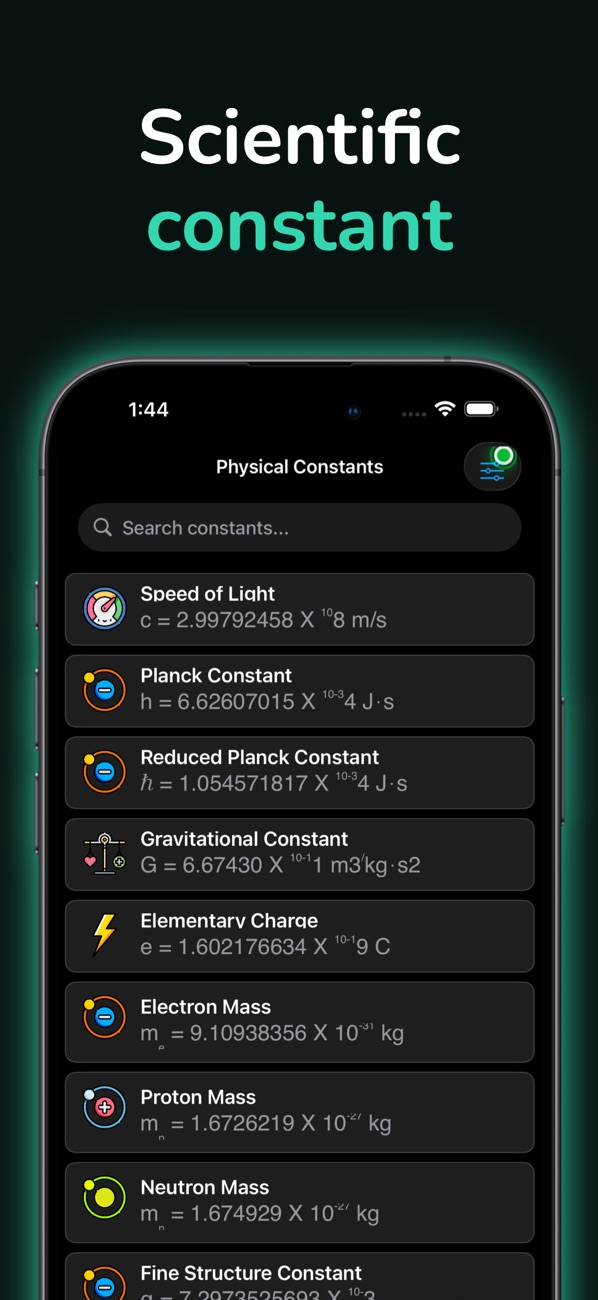
A library of physical constants is a bundled JSON file: name, symbol, value, unit, uncertainty, plus the explanatory text. Use exact CODATA values. Since the 2019 SI redefinition, constants such as the speed of light, Planck's constant and the elementary charge are exact by definition, which is a nice fact to surface in a "why it's important" field.
Challenge mode: scoring an estimate
For estimation games ("how many feet in a kilometre?"), score by ratio, not absolute difference, so being off by 10% feels the same at every scale:
/// 100 for a perfect answer, falling to 0 at a factor-of-two error.
func estimationScore(guess: Double, truth: Double) -> Int {
    guard guess > 0, truth > 0 else { return 0 }
    let error = abs(log2(guess / truth))    // 0 = exact, 1 = off by 2×
    return Int((max(0, 1 - error) * 100).rounded())
}
8. Real-world example: Units Converter & Calculator
These are the techniques I'd use, and recommend, for a converter like Units Converter & Calculator.
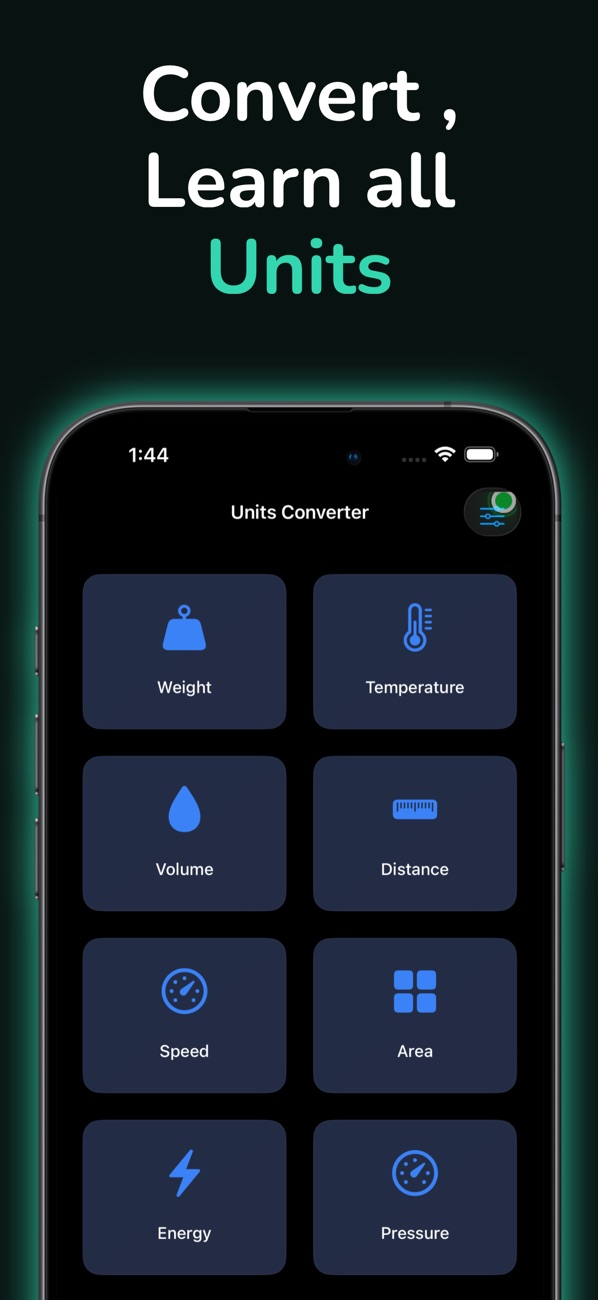
At the time of writing, its App Store listing shows:
- Free, in Productivity and Education
- First released in May 2020
- 32 ratings in the US store, averaging about 4.7 stars
- Supports iOS 16.0 and later
How the listing lines up with this article:
| What the listing says | Where it's covered |
|---|---|
| "Convert 200+ units across 30+ categories… completely offline" | Built-in dimensions plus custom Dimension subclasses, all on-device (sections 2–4) |
| "Real-time conversions with instant results" | Locale-aware parsing on every keystroke, formatted output (section 5) |
| "180+ physical constants with detailed explanations" | Constants as bundled data (section 7) |
| "Challenge Mode: Test your estimation skills" | Ratio-based scoring (section 7) |
| "Automatic saving of all conversions… Organized by category" | History with stable unit IDs, output recomputed on display (section 7) |
The listing's audience is "students learning physics and chemistry, engineers and scientists". That's exactly the audience that will notice a wrong factor or a temperature-delta mistake, and the reason I lean on Foundation rather than hand-written tables.
9. Before you ship a unit converter: a checklist
- Every unit has a round-trip test and at least one known-value test from a trusted reference.
- The coefficient means "base units per one of this unit", and it's written that way everywhere.
- Non-linear units use a real
UnitConvertersubclass, and zero and negative inputs are handled. - Input parsing uses the user's locale, and the decimal-pad keyboard matches it.
- Output uses significant digits and
usage: .asProvided(or.providedUnit), so the unit the user picked is the unit they see. - Temperature differences are a separate, explicit mode.
- History stores IDs and inputs, not outputs, so fixes apply retroactively.
- Everything works in Airplane Mode, including constants and learning content.
Wrapping up
Unit conversion is one of those problems that looks like a lookup table and is really a type system. Foundation's Measurement and Dimension give you that type system: one base unit per dimension, linear and custom converters, unit-aware arithmetic and comparisons, and formatters that respect the user's locale. Add custom dimensions for whatever Foundation doesn't cover, test every unit, and treat temperature differences with suspicion.
Try the app, or browse the rest of my work:
- Units Converter & Calculator (iOS): https://apps.apple.com/us/app/units-converter-calculator/id1515811220
- All of my free iOS apps: https://apps.apple.com/us/developer/alok-singh/id1508795536
- My portfolio: https://bestlatestapps.com/alok/
Which unit has bitten you in production? For me, temperature differences top the list. Let me know in the comments.
— Alok Kumar Singh
Originally published at https://bestlatestapps.com/blog/stop-hand-rolling-unit-conversions/